Why LinkedIn Live Gets 24x More Comments and How to Do It Right!
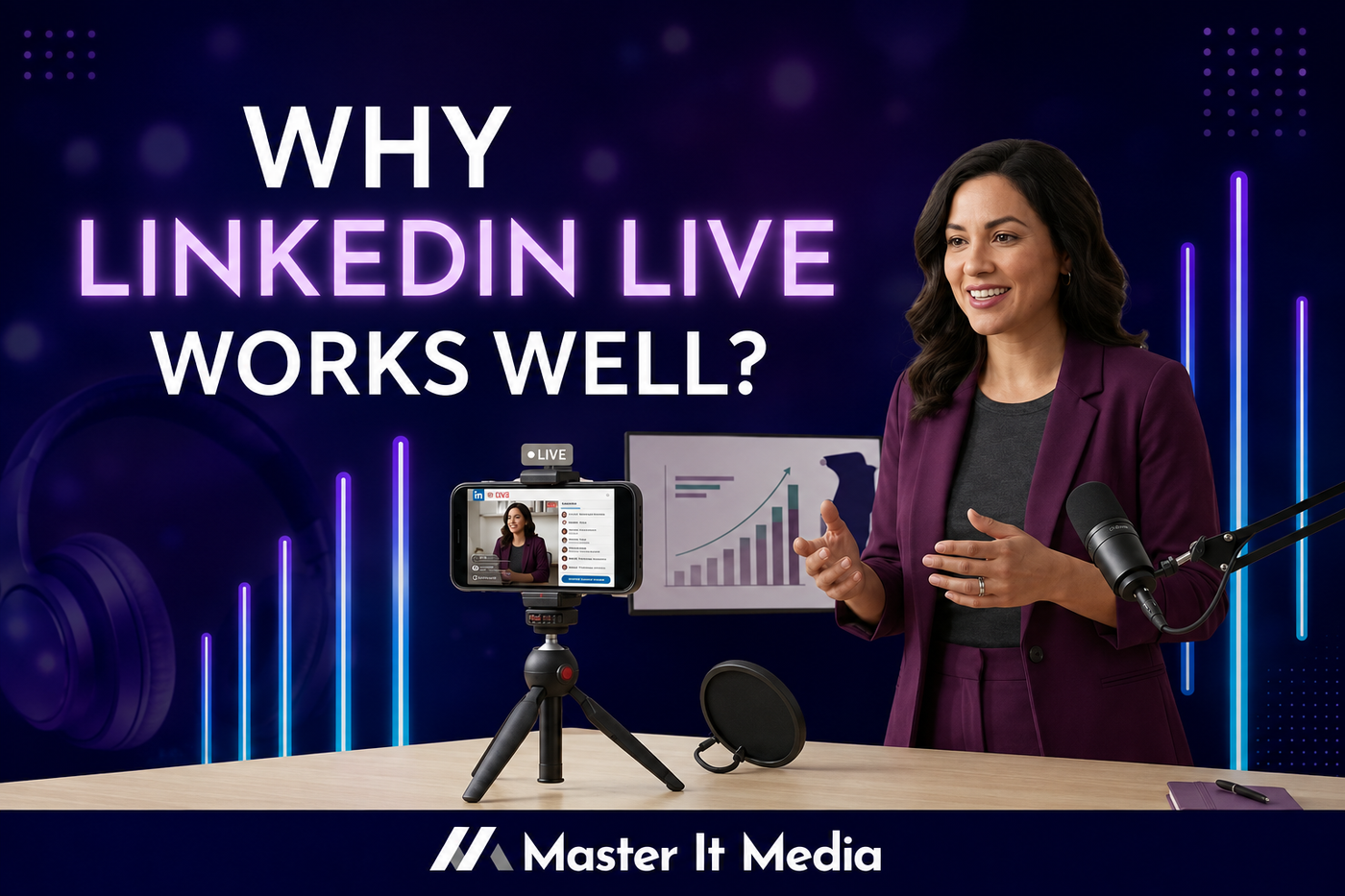
What if one LinkedIn feature could generate significantly more engagement than your typical posts?
According to LinkedIn, live videos often receive substantially more reactions and comments than pre-recorded content. More importantly, they create something many business owners struggle to achieve online: real-time conversations.
If you've been looking for a way to increase visibility, build trust faster, and connect with people beyond your current network, LinkedIn Live may be one of the most underutilized tools in your content strategy.
The best part?
You don't need a television studio, fancy equipment, or a massive audience to get started.
Let's break down why LinkedIn Live works, how to use it effectively, and the simple mistakes to avoid.
Why LinkedIn Live Works So Well
Most social media content is passive.
Someone scrolls.
They read.
They maybe click "like."
Then they move on.
Live video changes that dynamic.
People can:
- Ask questions in real time
- Participate in conversations
- Share opinions
- Interact directly with you
That creates a stronger sense of connection than almost any other content format.
Another major benefit is discoverability.
Many people who attend LinkedIn Live events are not already part of your network. That means every live session has the potential to introduce you to new prospects, referral partners, and future clients.
In other words, LinkedIn Live doesn't just engage your audience. It helps expand it.
Before You Go Live: Set Yourself Up for Success
The biggest mistake many people make is treating a live event like an impromptu conversation.
Preparation matters.
Check Your Eligibility
Before planning your first LinkedIn Live, confirm that your profile or business page meets LinkedIn's current eligibility requirements.
You will also need a streaming tool such as:
- StreamYard
- Restream
- Vimeo
Take time to test everything beforehand.
Nothing creates stress faster than discovering your microphone isn't working two minutes before you're supposed to go live.
.png/:/rs=w:1280)
Choose a Topic Your Audience Actually Wants
Your live session should solve a problem, answer a question, or teach something useful.
Ask yourself:
- What questions do clients ask repeatedly?
- What industry changes are people talking about?
- What challenges are keeping my audience stuck?
The more relevant the topic, the better the engagement.
Create a Simple Run of Show
You don't need a word-for-word script.
You do need a plan.
A simple framework works well:
- Welcome and introduction
- Main teaching points
- Audience questions
- Key takeaways
- Closing call to action
Having a structure helps you stay focused while still sounding natural.
Promote the Event
One of the biggest reasons live events struggle is simple.
Nobody knew they were happening.
Create a LinkedIn Event and start promoting it.
Share it:
- On LinkedIn
- In your email newsletter
- Across your other social platforms
- During networking events
- Inside relevant communities
And make sure your title focuses on a benefit.
People need a reason to attend.
What To Do During Your LinkedIn Live
Engage With Viewers
Live video should feel like a conversation.
Welcome attendees as they join.
Acknowledge comments.
Answer questions.
Mention people by name when appropriate.
If you're using a platform like StreamYard or Restream, display audience comments on screen.
People enjoy seeing their participation recognized.
Keep Your Setup Professional
Your production quality does not need to be perfect.
It does need to be clear.
Focus on:
- Good audio
- Adequate lighting
- Stable internet
- A clean background
Viewers will forgive minor imperfections.
Poor audio is much harder to overlook.
Be Yourself
Many people avoid live video because they worry about making mistakes.
The reality is that authenticity often performs better than perfection.
If something unexpected happens, acknowledge it and move forward.
Those moments often make you more relatable.
What Happens After the Live Matters Most
Many business owners finish a live session and immediately move on.
That is a missed opportunity.
Your live event can become multiple pieces of content.
Repurpose Everything
Your recording can become:
- Blog posts
- Social media clips
- Carousel posts
- Email newsletters
- Podcast episodes
- Short-form video content
One live session can fuel your content calendar for weeks.
Review Your Analytics
Pay attention to:
- Live attendance
- Replay views
- Engagement spikes
- Audience retention
These insights help you improve future broadcasts.
You may discover certain topics, questions, or formats consistently generate stronger engagement.
Ask Your Audience What They Want Next
Sometimes the best content strategy is simply listening.
Ask attendees:
"What would you like me to cover next?"
The answers often become your next successful live session.
The LinkedIn Live Do's and Don'ts
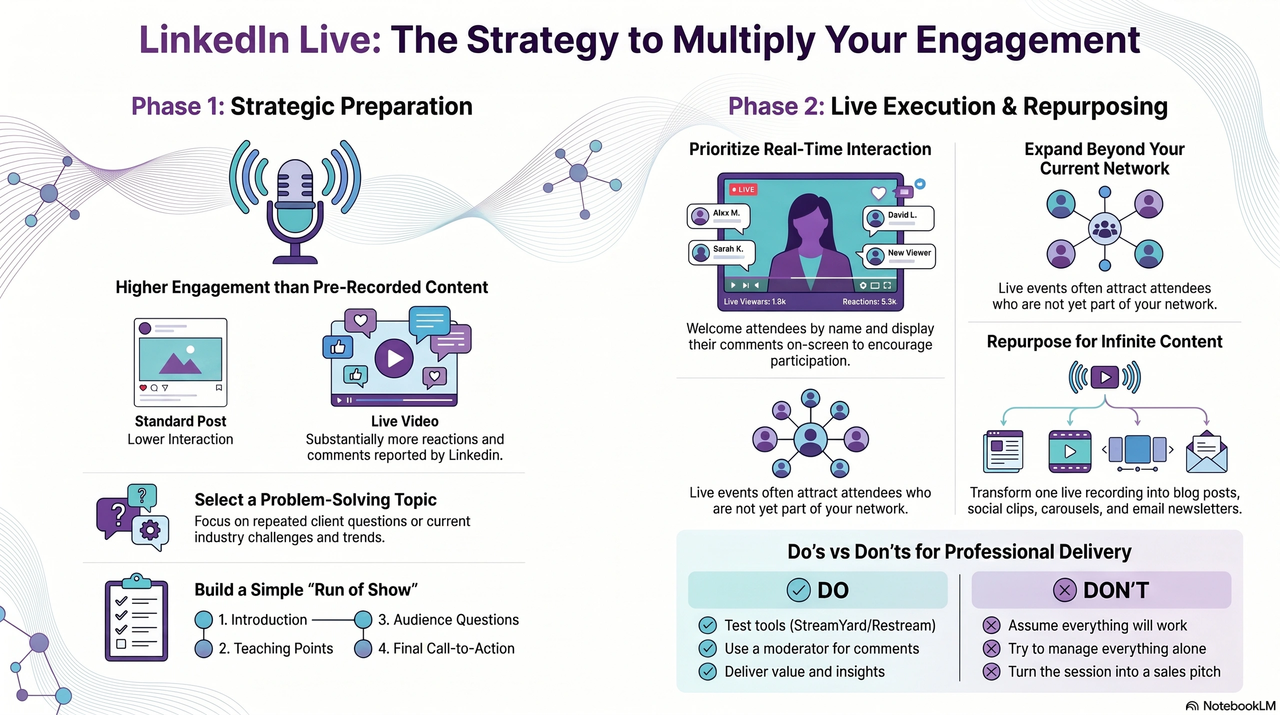
Do: Test Your Technology
Run a practice session before every event.
Don't: Assume Everything Will Work
Technology has a way of surprising us.
A quick test prevents most problems.
Do: Have a Clear Agenda
Structure creates confidence.
Don't: Wing It
A scattered presentation can weaken your message.
Do: Ask Questions
Audience participation keeps engagement high.
Don't: Ignore Comments
The interaction is one of the biggest advantages of going live.
Do: Use a Moderator If Possible
A second set of eyes can help manage comments and technical issues.
Don't: Try To Manage Everything Alone
Support makes the experience smoother for everyone.
Do: Stay Consistent
Whether you go live weekly or monthly, consistency builds trust.
Don't: Show Up Randomly
People are more likely to attend when they know what to expect.
Do: Deliver Value
Teach something useful.
Share insights.
Offer solutions.
Don't: Turn It Into a Sales Pitch
People attend for value, not a commercial.
Do: Be Human
Stories and personality create connection.
Don't: Chase Perfection
People connect with people, not polished robots.
The Shortcut: Invite a Guest
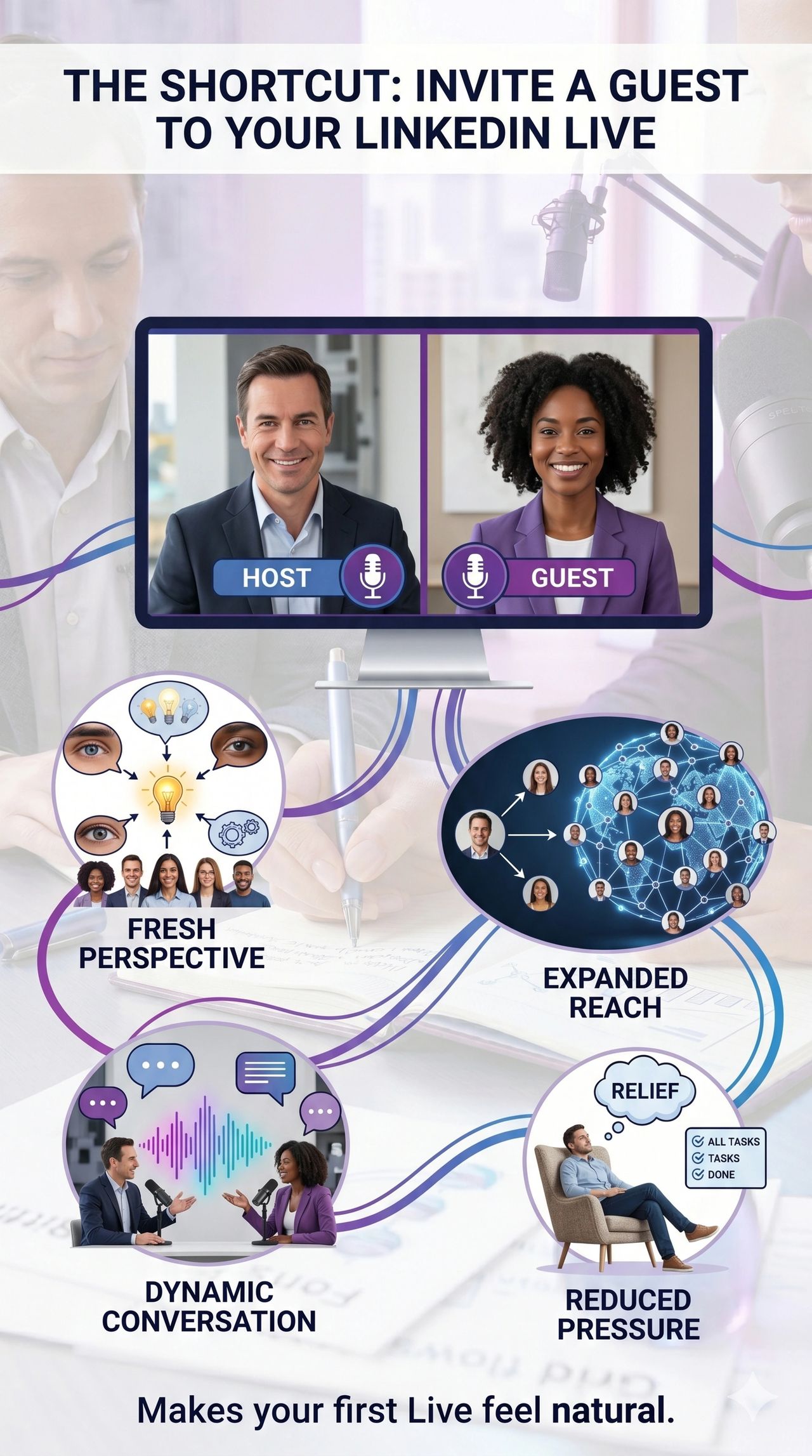
If you're nervous about hosting your first LinkedIn Live, invite a guest.
A guest:
- Brings a fresh perspective
- Creates a more dynamic conversation
- Expands your reach into their network
- Reduces pressure on you
It's one of the easiest ways to make your first live feel more natural.
Final Thoughts
LinkedIn Live is one of the most powerful visibility tools available to business owners right now.
It combines:
- Higher engagement
- Real-time conversations
- Audience growth
- Content repurposing opportunities
- Relationship building
And unlike many social media tactics, it rewards authenticity over perfection.
If you've been thinking about trying LinkedIn Live, consider this your sign.
Pick a topic.
Schedule a date.
Promote it.
Treat it as an experiment.
Then use what you learn to make the next one even better.
Because the businesses that build trust fastest are often the ones willing to show up and have real conversations.
Related Resources
For a deeper dive into solution-focused content:
- Podcast Episode: Why LinkedIn Live Gets 24x More Comments and How to Do It Right!)
- YouTube Version: Watch the episode
Ready to master your media?
Let's make your social media simple, consistent, and worth it. Book a free strategy call.
Book a free strategy call →